In order to get a sense of the myriad opportunities that lie in the e-learning and task help sectors, I researched its market growth over recent years, users’ augmenting interest, and its future scope of expansion.
Competitor Analysis
I’ve researched around 10 competitors for each e-learning and task help industries respectively. Identifying pros and cons of each app helped me to come up with a list of useful features to potentially include in the app.
Interview Guide
The most important part in new app development is to identify users’ needs. Recognizing where their interest and needs lie helped me to get a better directionality of which areas this new app should focus on.
Interview Synthesis
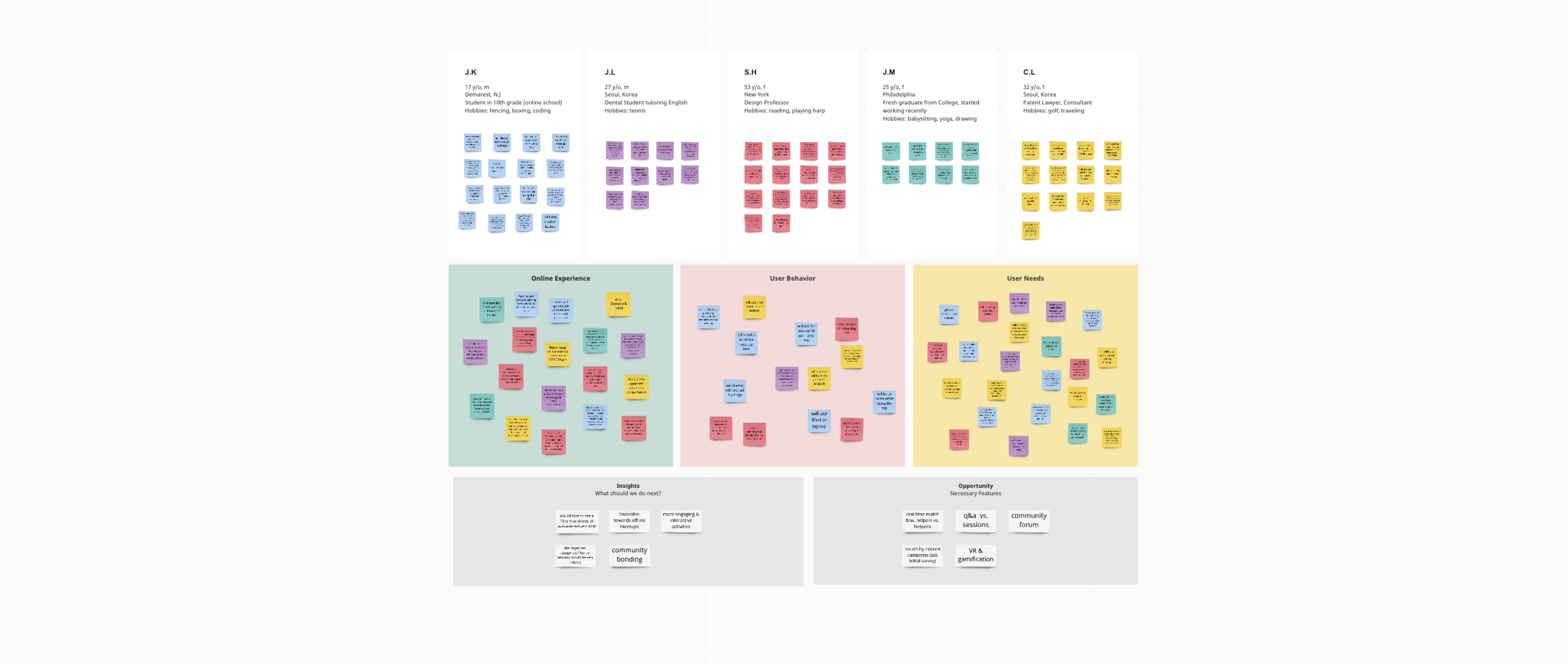
After conducting a detailed interview on the fiver participants, I’ve organized the takeaways into three categories: online experience, user behavior, and user needs. This helped me to come up with insights and opportunities for developing the app.
02 DIVING IN
Define
Personas
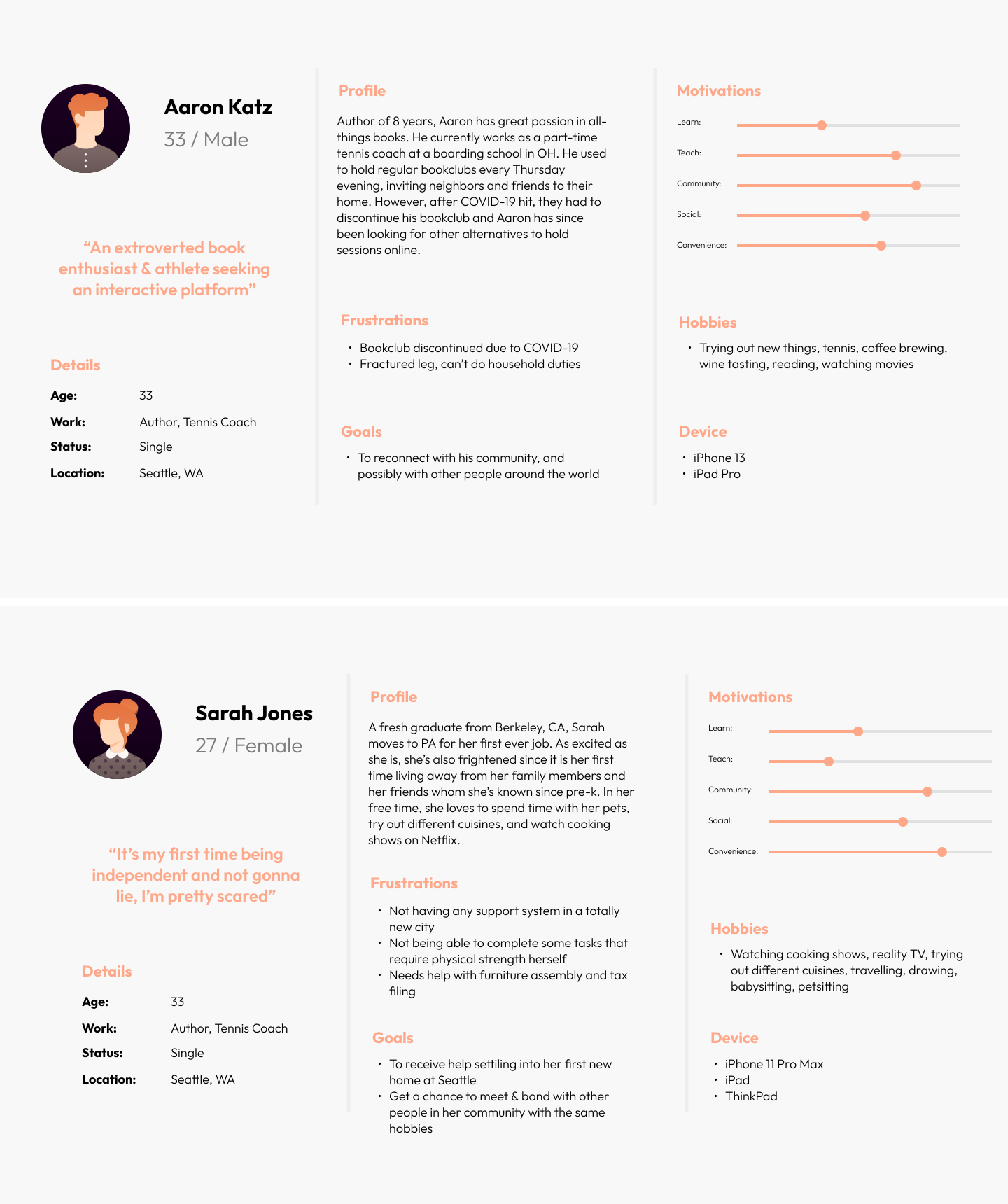
Upon deriving common points mentioned in the interview synthesis, I came up with two personas for asq. Aaron and Sarah are representative of asq’s users: the former depicting an extroverted user with lofty desire to help out his community, and the latter being an user with hopes of receiving tangible help from asq.
User Journey
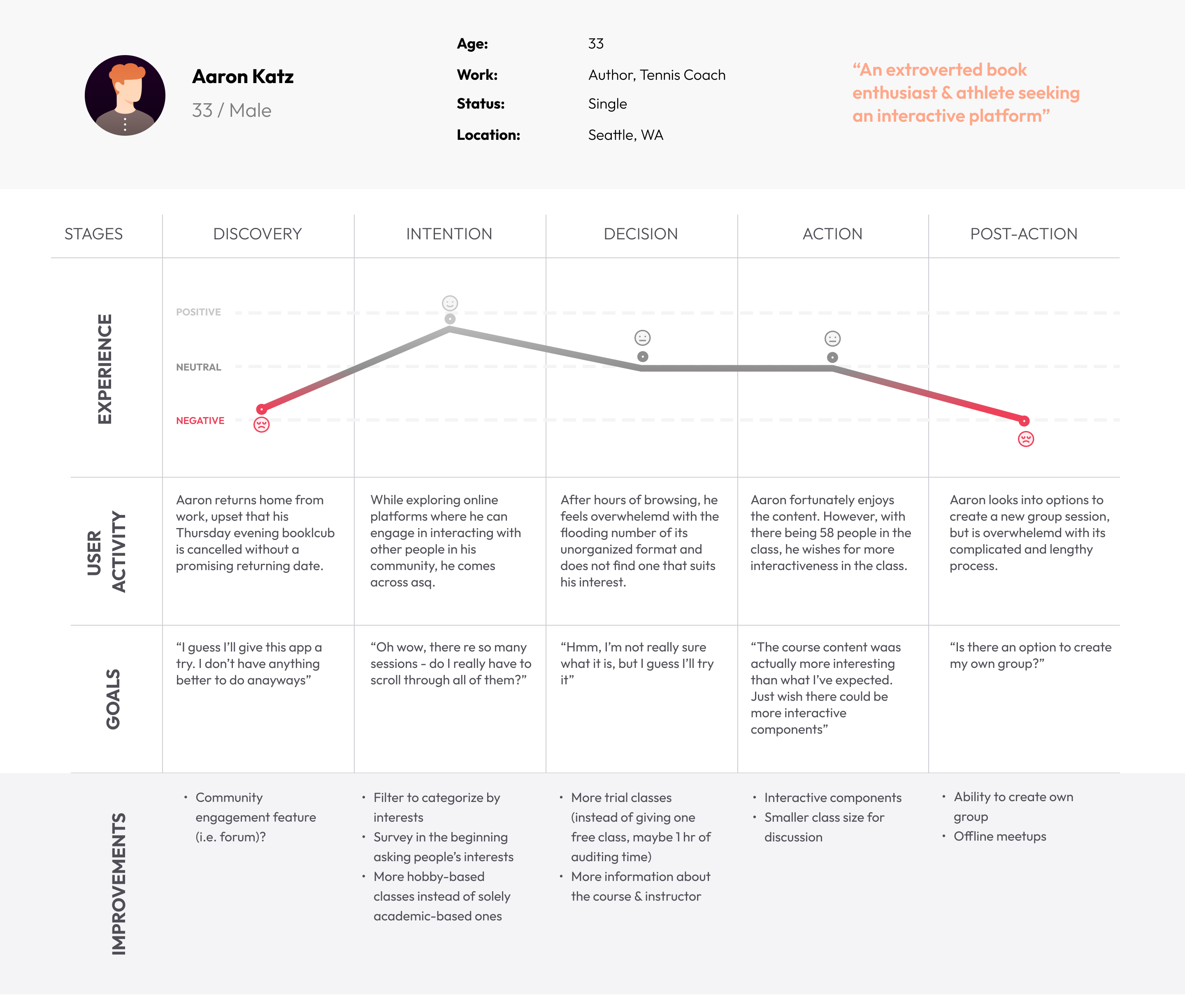
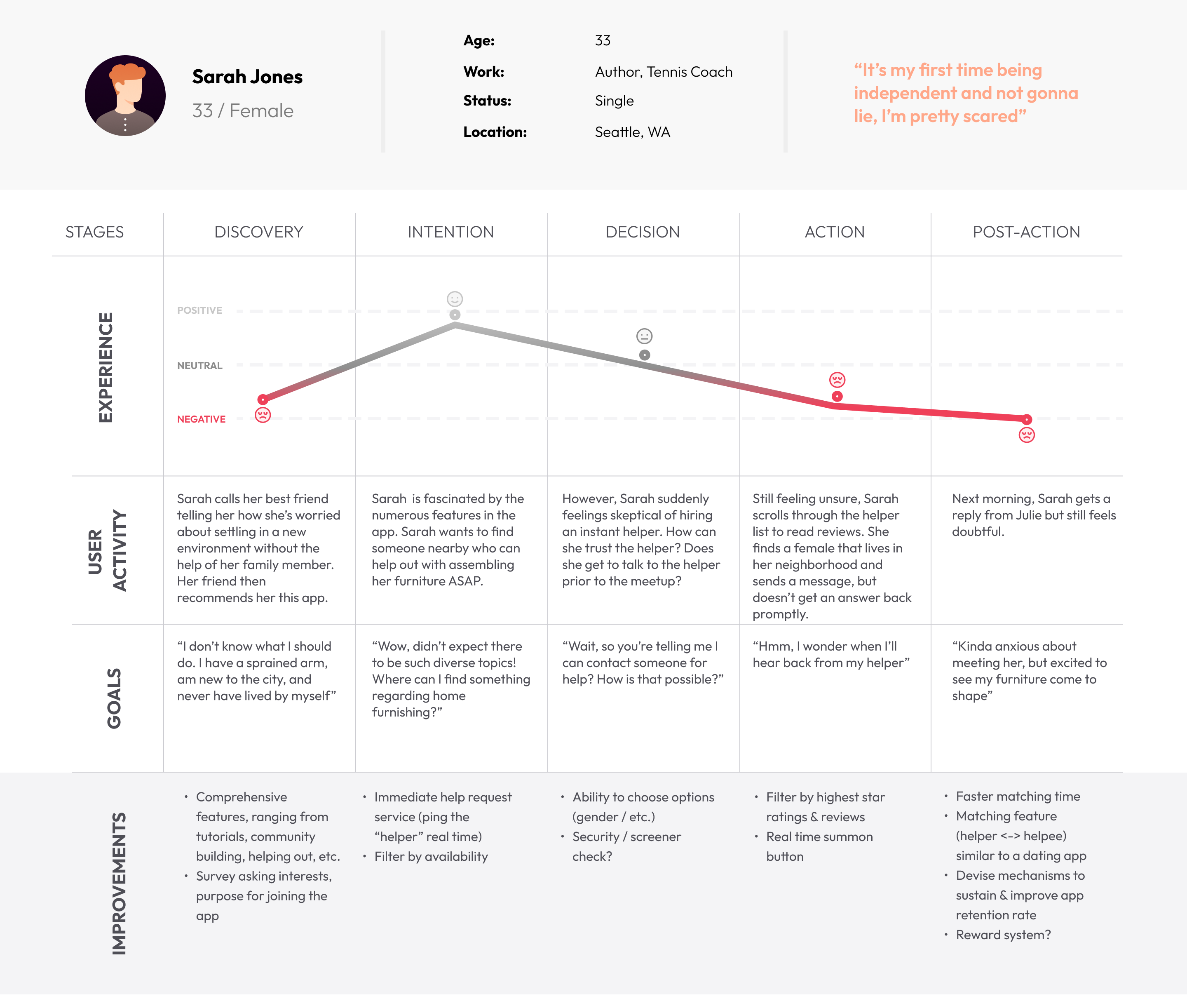
Based on the personas above, I’ve created a corresponding journey map of each user, and how their respective journeys will lay out. Creating these journeys has helped me to approach asq’s design in a more user-centric way, imagining scenarios in the users’ perspectives.
How might we maximize helpfulness in the app?
03 CONCEPTUALIZING ASQ
Ideate
Brainstorming
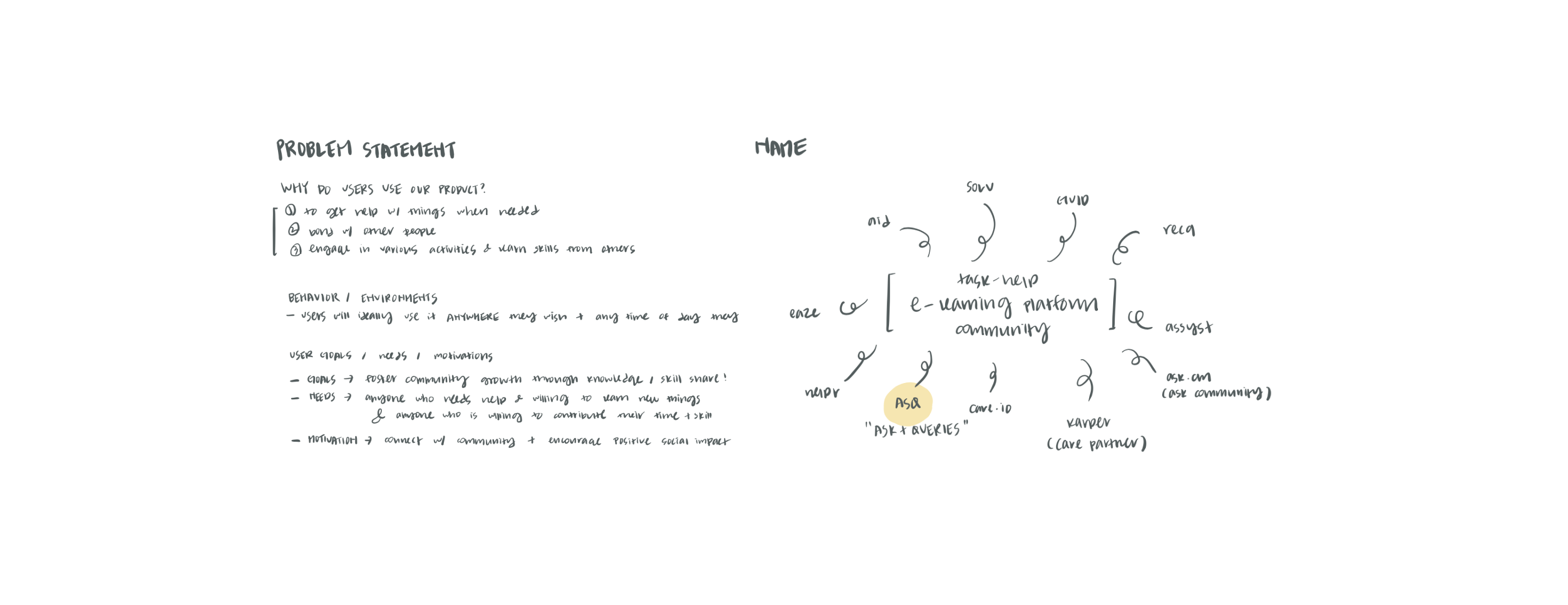
Revisiting the problem statement I’ve modified throughout the development process, I’ve discovered the underlying motivation, behavior, and goals of users. Delving into these specifics consequently helped me come up with an intuitive title for this app.
Planning
Revisiting the problem statement I’ve modified throughout the development process, I’ve discovered the underlying motivation, behavior, and goals of users. Delving into these specifics consequently helped me come up with an intuitive title for this app.
Features
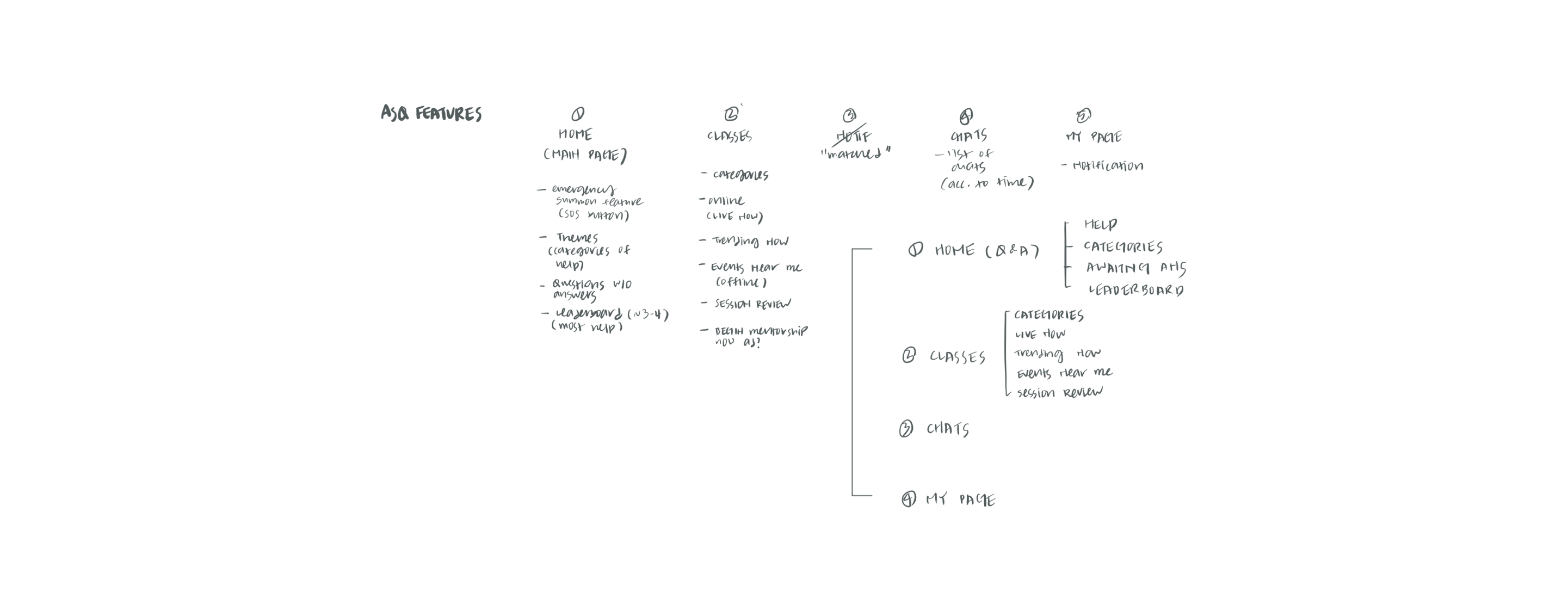
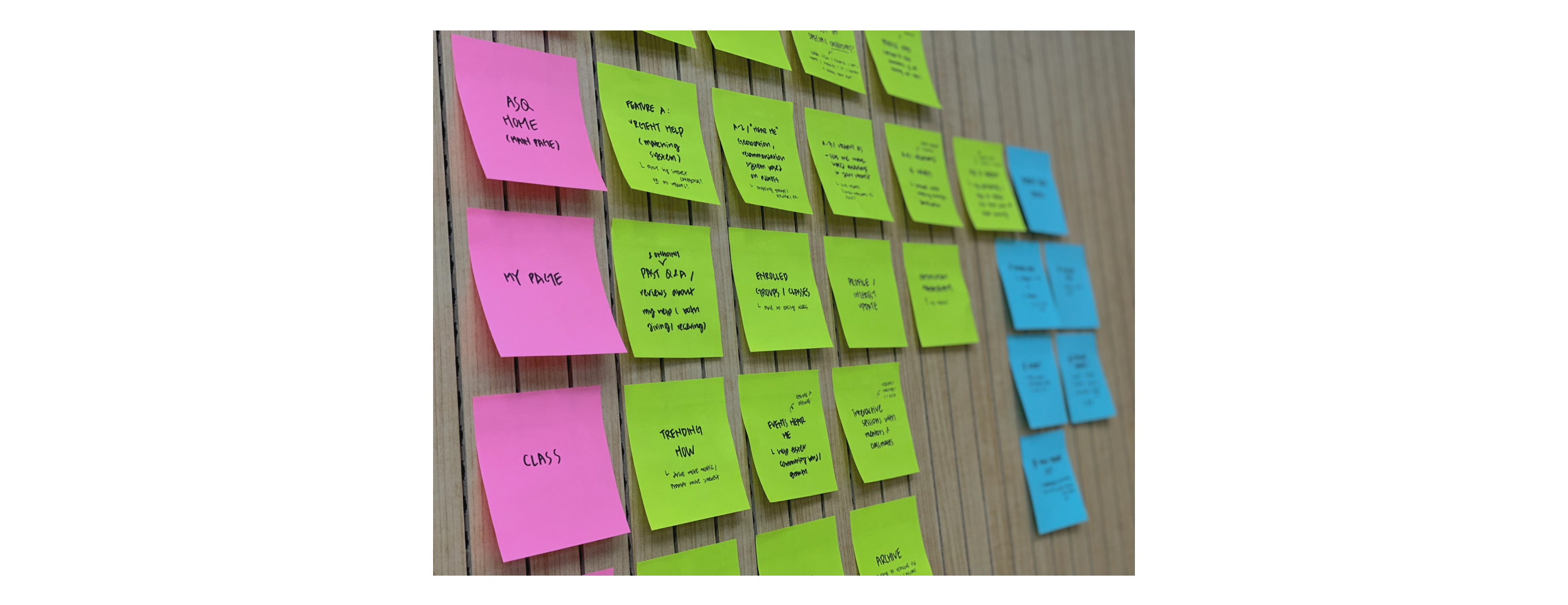
The initial planning stage helped me come up with four main menu: asq (home), classes, chats, and my page. From the abovementioned menu, I’ve created branches of sub-features with brief description of each. Through this process, I got to identify the most-essential features to be included in the app.
How might we maximize helpfulness in the app?
04 ACTUALIZATION
Framing
Sketch
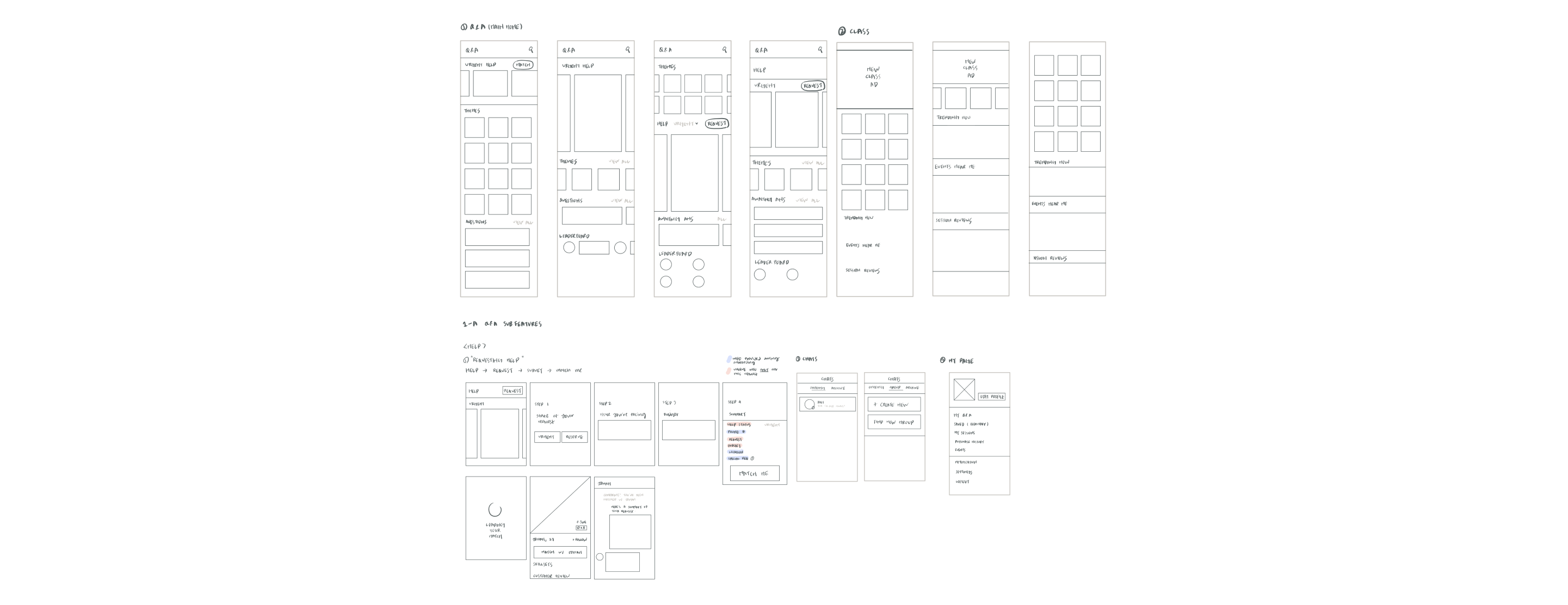
With the features (almost) set in mind, I’ve sketched out the skeletons of asq. Sketching out what I’ve envisioned in mind has helped me to get a better sense of the app’s flow, and what features should be added/removed throughout users’ journey in asq.
Lo-Fi Wireframe
Based on the sketch, I’ve created a low fidelity wireframe of both mobile and tablet (iOS) versions. While wireframing, I’ve realized how distinct considerations must be taken when designing for different systems.
05 FINAL
Design
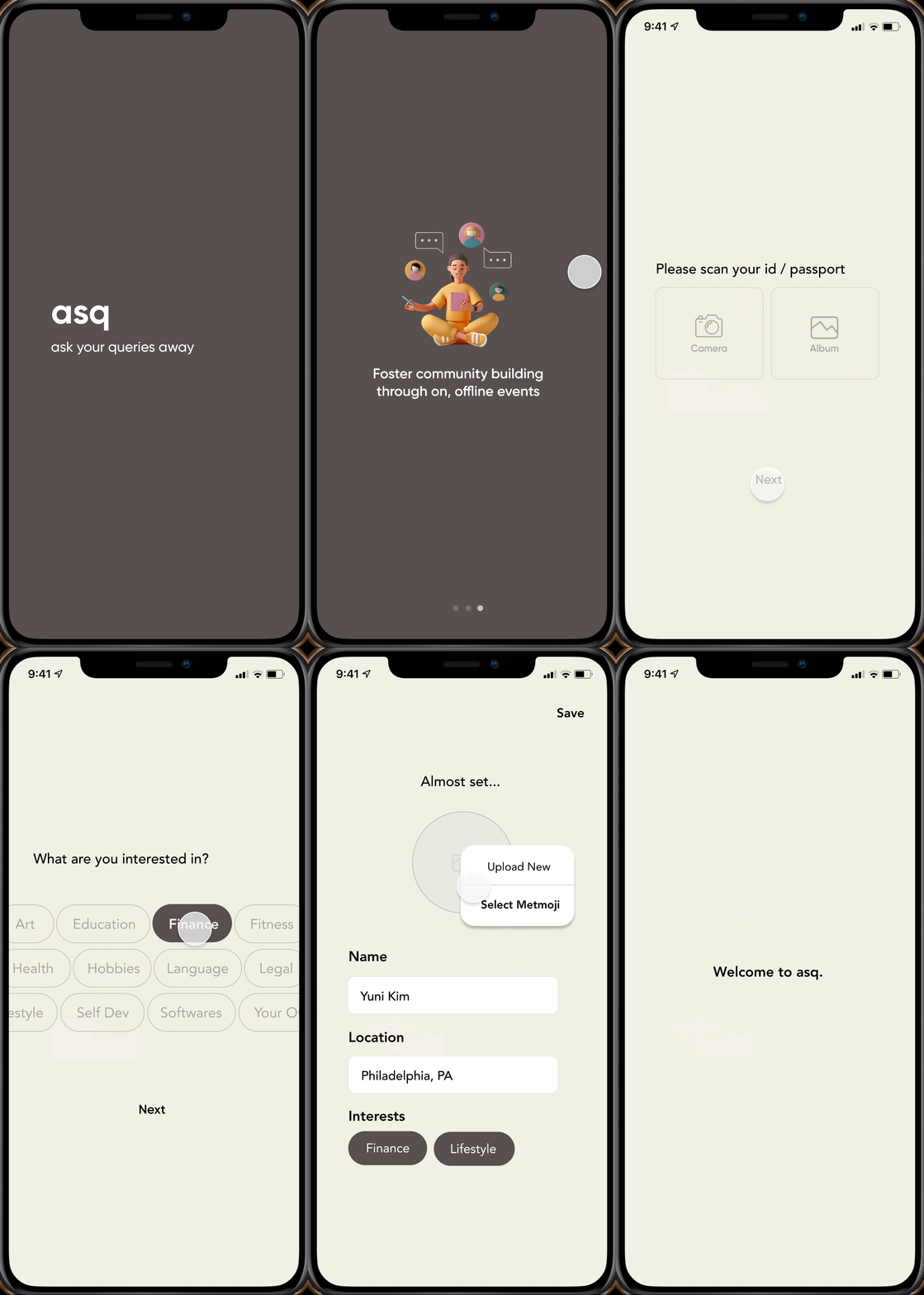
Onboarding
Based on the sketch, I've created a low fidelity wireframe of both mobile and tablet (iOS) versions. While wireframing, I've realized how distinct considerations must be taken when designing for different systems.
A new personalized dashboard with unique courses catered to user’s mood and progress monitoring
Newly organized categories of themes and activities, with quick & easy on top for easier access
asq
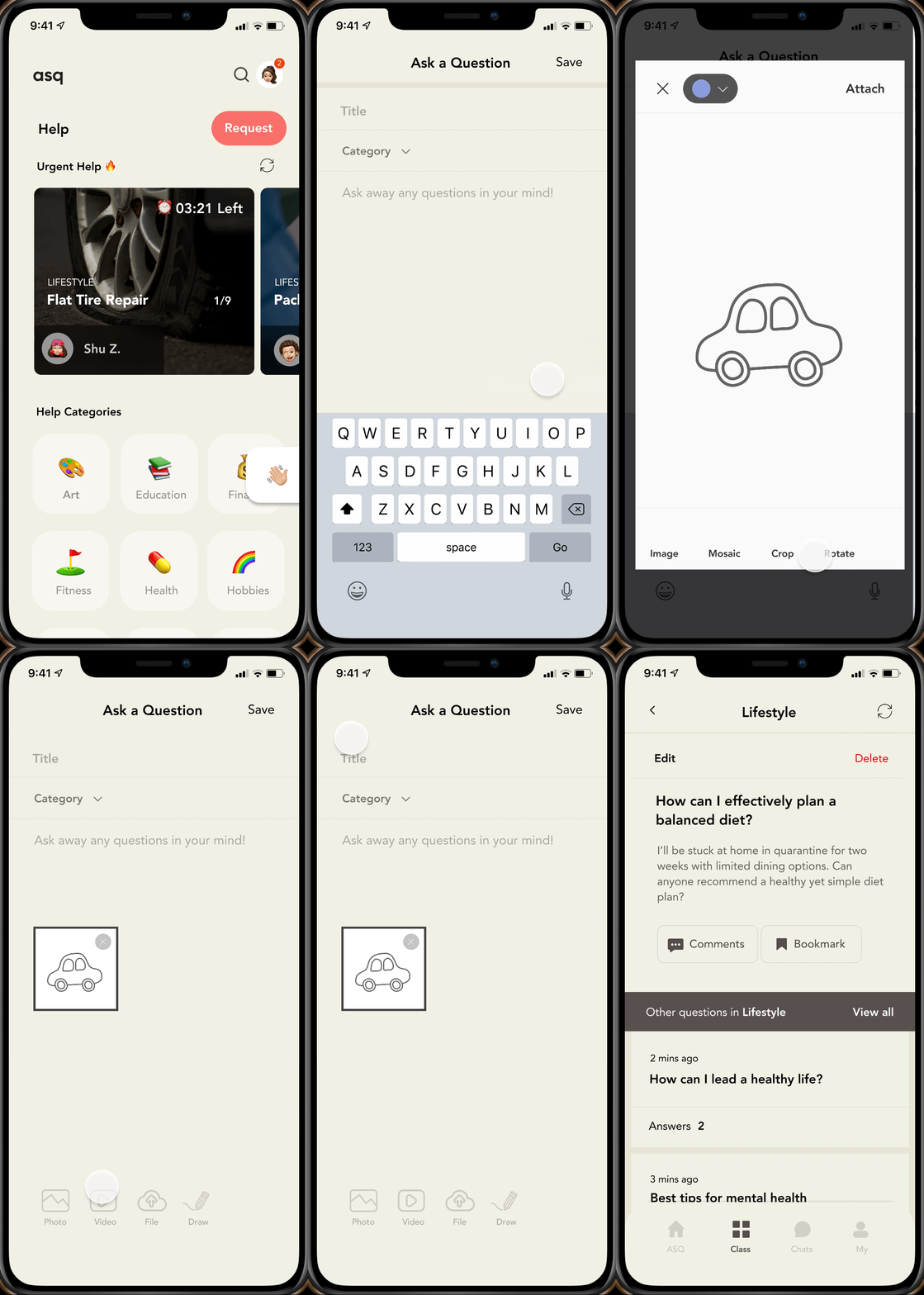
asq's main hub where users can browse all help categories, request help, and ask questions.
Requesting Help
Request help you need at the time you wish. Depending on the level of urgency, you can select ASAP or reserve it for a later time.
A new page to customize all settings to user’s needs, and view all completed courses & activities
Newly organized categories of themes and activities, with quick & easy on top for easier access
Ask a Question
This question hub will serve as a solution to all your enigmas. Simply ask away any question you may have, and someone will answer it for you!
Exploring Classes
Explore a myriad of classes, on/offline meetups offered in various fields, and learn about ways to get more involved!
Mentor Subpage
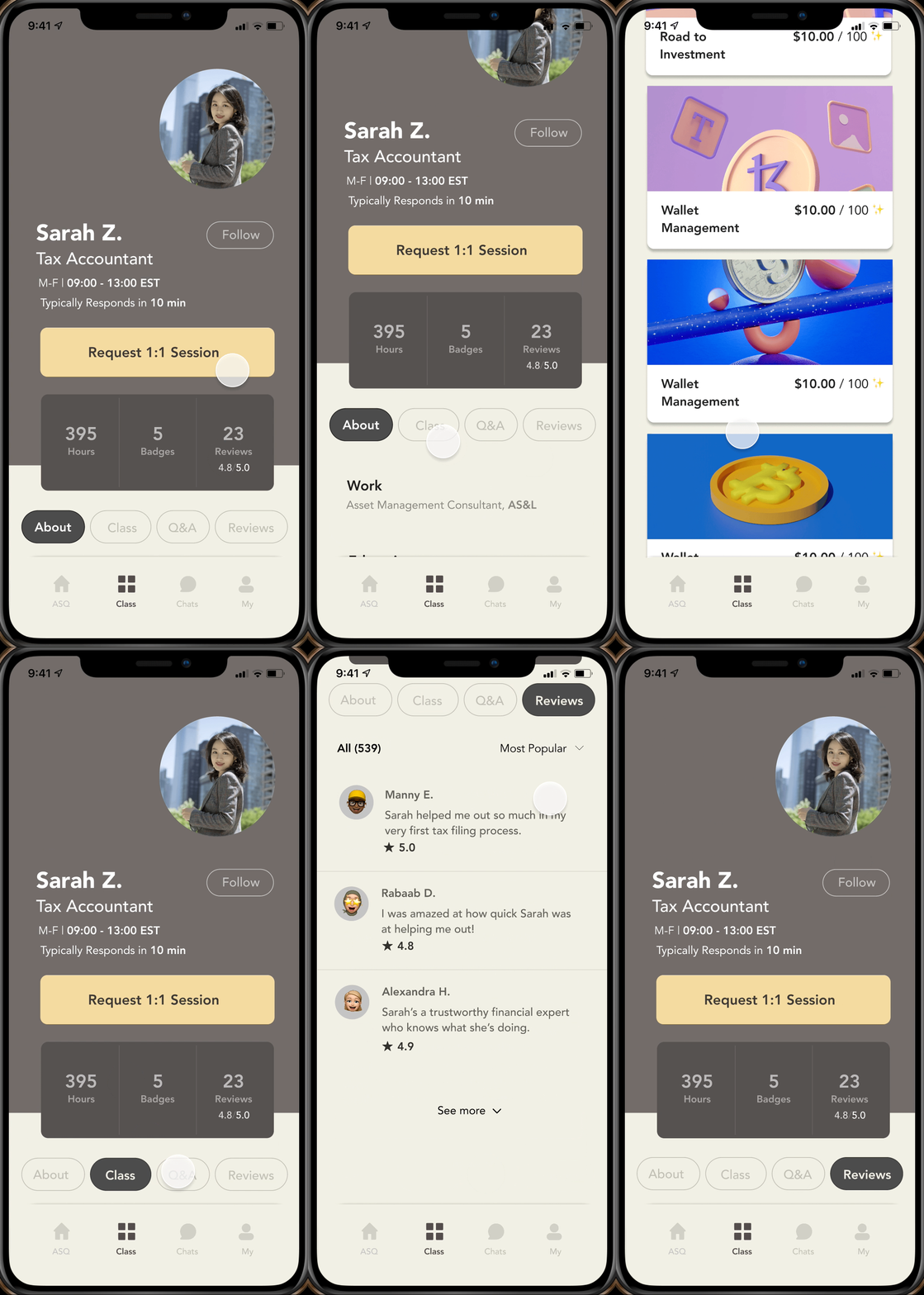
Clicking on the profile will provide you more information about the mentor, including his or her background and interests.
Chat List & My Page
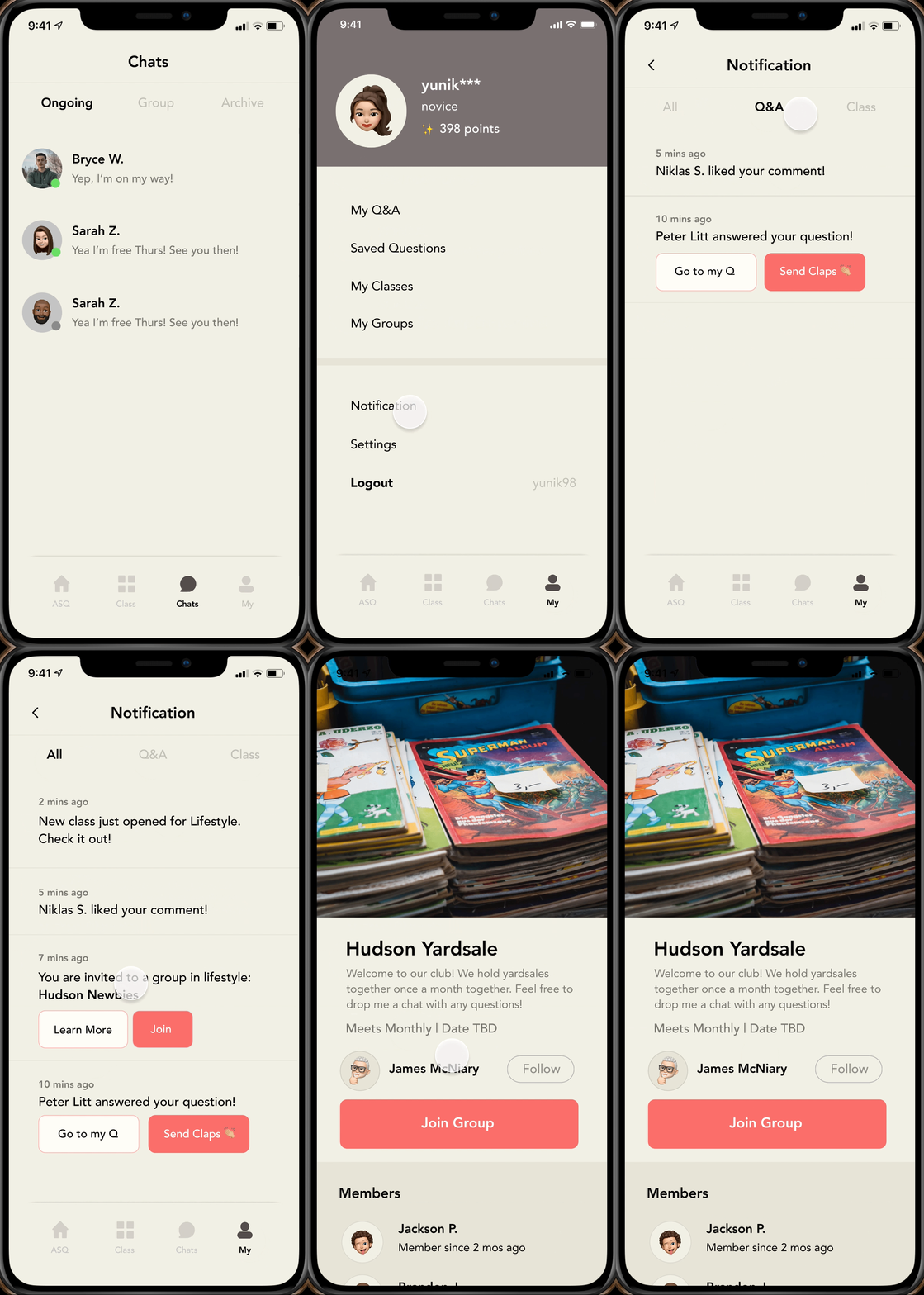
You'll be able to track your helper's route, chat with classmates, and your group members and easily customize your feed tailored to your interest categories.
Onboarding
Based on the sketch, I've created a low fidelity wireframe of both mobile and tablet (iOS) versions. While wireframing, I've realized how distinct considerations must be taken when designing for different systems.
Track Helper's Route
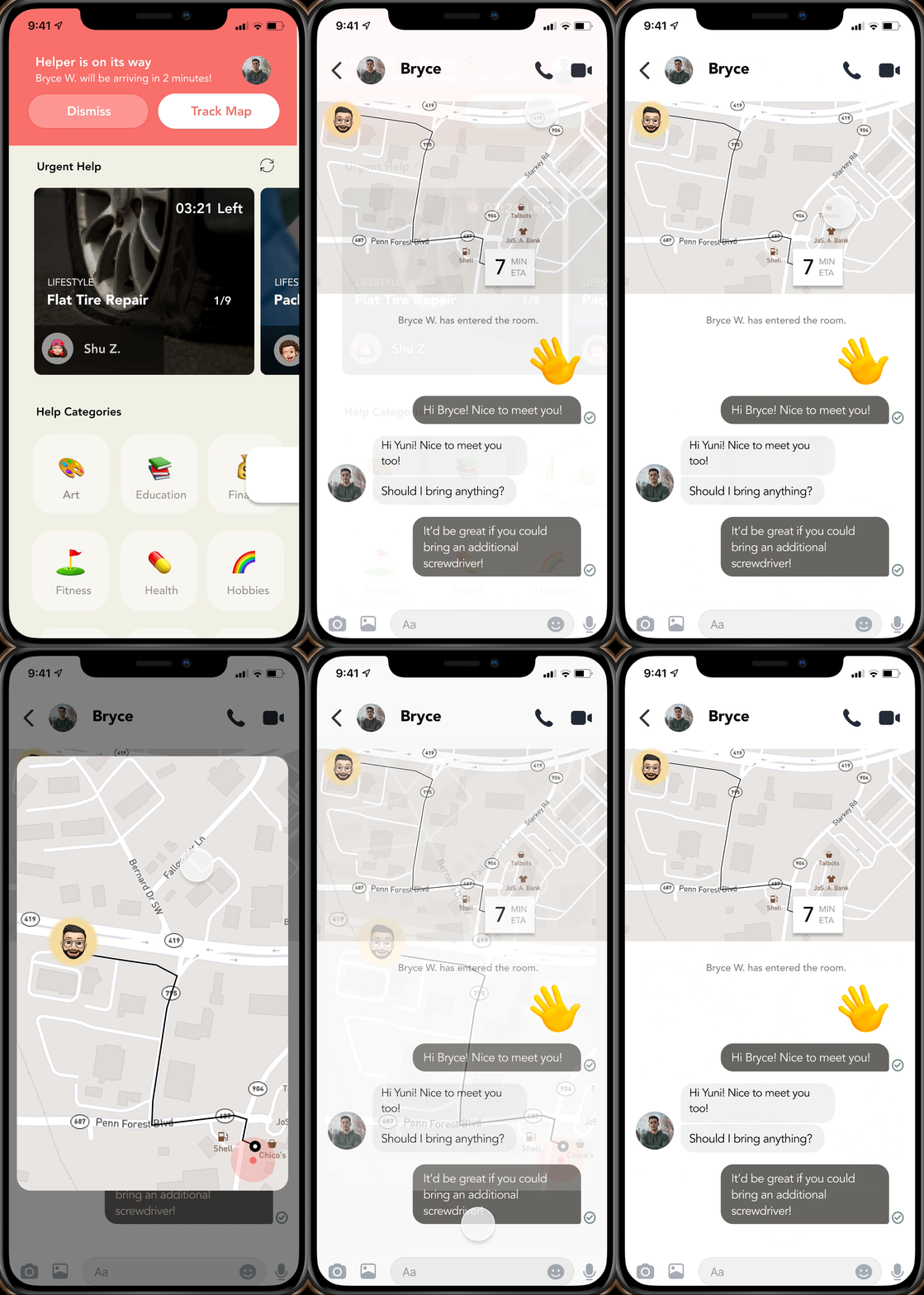
Get a real-time view of your helper's ETA and chat about your needs in detail if necessary.
REVISIT
Testing
Usability Testing
To test my final prototype’s usability, I asked my interviewees if they would be willing to test out the app. Thankfully, most of them were interested in trying it out and provided useful feedback that would’ve been challenging to identify otherwise.
NEXT STEPS
Moving Forward
Designing the app from scratch has taught me to consider every step of the process, beginning with the industry research to actually envisioning the app come to life. Throughout the process, I’ve put the most emphasis on empathizing with the potential users, imagining how each feature will be used.
In the future, I would like to add new features such as a used item trading feature to prompt community building and conservation.